How to Easily Install a VPN on Samsung Smart TV in 2026
Reading time: 12 min
Last Updated: Jun 24, 2026

Samsung TVs now run on Tizen OS, and the operating system doesn’t support VPN apps. Luckily, I’ll show you 3 easy workarounds for installing a VPN onto your Samsung Smart TV. To save you time, I also tested over 25 services to find the best VPN for Samsung Smart TV.
Out of all the VPN services, ExpressVPN ranked #1 as it has the easiest setup and fastest server network for streaming. It’s backed by a 30*-day money-back guarantee, so you can download ExpressVPN for Samsung Smart TV and try it for yourself. If you’re not satisfied, you can easily claim a refund with ExpressVPN’s “no questions asked” refund policy. Editor’s Note: Transparency is one of our core values at WizCase, so you should know we are in the same ownership group as ExpressVPN. That said, our detailed reviews follow a strict methodology that examines all relevant performance factors to help you arrive at your own informed conclusion.
Try ExpressVPN on Samsung Smart TV
How to Install a VPN on a Samsung Smart TV
For TVs with Tizen OS, you need to set up a VPN on your router, use Windows connection sharing, or enable Smart DNS. Technically, you can also use standalone DNS proxies, but they can collect your personal data and are often blocked by streaming services.
Here are the steps for each of the 3 ways to set up a VPN on your Samsung TV:
1. Set Up a VPN on a Samsung Smart TV — Router
While specific routers may have slight differences in their process, the basic steps to set up routers with a VPN are as follows: Editor’s Note: Transparency is one of our core values at WizCase, so you should know we are in the same ownership group as ExpressVPN. That said, our detailed reviews follow a strict methodology that examines all relevant performance factors to help you arrive at your own informed conclusion.
- Sign up for a router-compatible VPN. I suggest ExpressVPN as it has an easy-to-install router app.
- Find your router’s IP address by opening the Windows command prompt, typing IPCONFIG, and hitting enter. The “Default Gateway” is your router IP. Mac users can find it under System Preferences > Network > Advanced > TCP/IP.
- Log into your router by entering the IP address into your web browser.
- Configure your router using the guides on your VPN’s website.
- Start streaming TV and movies on your Samsung Smart TV!
2. Set Up a VPN on a Samsung Smart TV — Windows Connection Sharing or Virtual Router
You can set up connection sharing using an ethernet cable between a VPN-protected device and your TV, or you can share your device’s WiFi connection. Ethernet gives you much faster speeds, but WiFi is more convenient.
With a VPN installed on your PC, you can share your connection with your Smart TV by turning your PC into a Virtual Router. Editor’s Note: Transparency is one of our core values at WizCase, so you should know we are in the same ownership group as ExpressVPN. That said, our detailed reviews follow a strict methodology that examines all relevant performance factors to help you arrive at your own informed conclusion.
- Download a VPN on your Windows device. I suggest you get ExpressVPN for fast, flawless streaming.
- Connect to a VPN server in the country with the content you want to access.
- Open “Mobile Hotspot Settings” in Windows.
- Check your WiFi network is selected under “Share my Internet connection from.”
- Activate the mobile hotspot to share the VPN connection with other devices.
- Connect your Samsung Smart TV to the new mobile hotspot.
- Watch location-restricted TV and movies from all around the world!
3. Set Up a VPN on a Samsung Smart TV — Smart DNS
Smart DNS changes the DNS server your connection routes through, letting your Smart TV access sites and services in different locations. This will mask your IP address, but you won’t have the benefit of an encrypted connection with Smart DNS. Editor’s Note: Transparency is one of our core values at WizCase, so you should know we are in the same ownership group as ExpressVPN. That said, our detailed reviews follow a strict methodology that examines all relevant performance factors to help you arrive at your own informed conclusion.
- Download a VPN. I recommend you try ExpressVPN for the most reliable connection on Samsung Smart TV.
- Find the Smart DNS page on your VPN’s website and activate Smart DNS.
- Open the Settings menu on your Samsung Smart TV.
- Choose the Network tab. You may have to pick a WiFi Connection or Ethernet Connection tab, depending on how your TV is connected.
- Open the Network Status tab, select “IP Settings,” then go to “DNS Settings,” and select “Enter manually.”
- Enter one of the DNS addresses you got from your VPN’s website under “Primary DNS.”
- Click OK, restart your TV, and start streaming from anywhere!
Try ExpressVPN with your Samsung Smart TV
The Best VPNs for Samsung Smart TVs in 2026
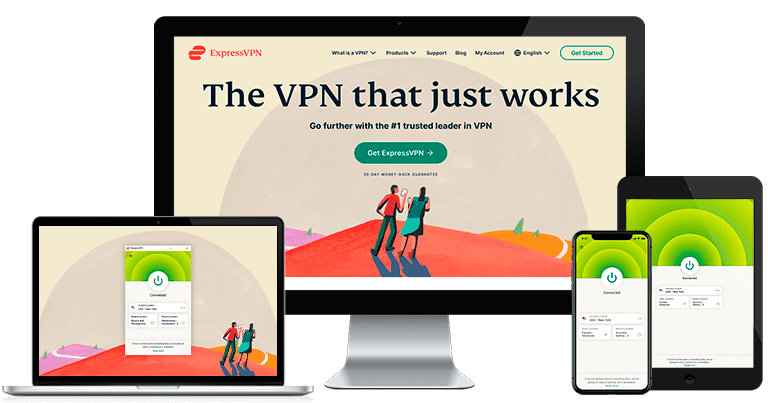
1. ExpressVPN — Ultra-Fast Speeds for Lag-Free Streaming on Samsung Smart TVs

Key Features:
- 3,000+ servers in 105 countries for access to your streaming accounts on 100+ international platforms from anywhere
- Superfast speeds for streaming on your Samsung Smart TV lag-free in HD
- Built-in speed tester to find the fastest server right away
- 24/7 live chat agents to get help when you need it
- 30*-day money-back guarantee
During tests, my colleagues and I found ExpressVPN’s superfast servers stream TV reliably in HD with no lag. My team abroad tested speeds in multiple Netflix regions to access our local accounts. We got average speeds of 300Mbps — the fastest to stream in 4K HD on multiple devices at once.
ExpressVPN has a MediaStreamer feature, which is its own Smart DNS service. This is ideal for streaming on devices that don’t natively support a VPN app. Setting up MediaStreamer is easy — just create a Smart DNS account and add the DNS IP in the settings of your Samsung Smart TV.
In terms of security and privacy, ExpressVPN provides top-tier features:
- Military-grade encryption: Protects all online traffic within a secure tunnel, away from prying eyes and hackers.
- Data leak protection: Secures your data from DNS, IPv4, IPv6, and WebRTC leaks.
- Kill switch: Blocks access to the internet if the VPN connection is ever interrupted.
- Secure protocols: OpenVPN and its proprietary Lightway protocol — I found this was the best for fast, smooth streaming.
- TrustedServer technology: RAM-based servers physically cannot store any user data, and are regularly wiped clean during scheduled reboots.
- Strict privacy policy: Verified by an independent audit to confirm no data is logged or stored.
Router setup is usually much more complicated, which is why I was so pleased to find ExpressVPN has its own native router firmware for Smart TVs. After the firmware is installed on your router, you can operate the VPN in a user-friendly console to take advantage of features such as split tunneling and MediaStreamer.
During my tests, ExpressVPN was able to access almost any streaming service. My team and I could easily stream Netflix in the US, Canada, the UK, France, Germany, the Netherlands, Japan, India, and more.
We also had success with the following services:
| BBC iPlayer | Hulu | Disney+ | Amazon Prime Video | HBO Max | Sling TV |
| ESPN | DAZN | YouTube TV | Spotify | Peacock TV | …and more! |
You can get a great deal on ExpressVPN’s 2-year + 4 months plan, which starts at just a month. You can try ExpressVPN risk-free for 30* days since every plan comes with a money-back guarantee. Getting a refund is easy if you change your mind about subscribing. I contacted the 24/7 live chat and requested my money back, and they processed my refund with no questions asked. The money appeared in my bank account in a week. Editor’s Note: Transparency is one of our core values at WizCase, so you should know we are in the same ownership group as ExpressVPN. That said, our detailed reviews follow a strict methodology that examines all relevant performance factors to help you arrive at your own informed conclusion.
ExpressVPN works on: Windows, macOS, Linux, Chromebook, Android, iOS, Chrome, Firefox, Edge, PlayStation, Xbox, Nintendo Switch, Amazon Fire TV, Amazon Fire TV Stick, Nvidia Shield, Xiaomi Mi Box, Google Chromecast, Roku, Android TVs, smart TVs, routers, and more.
Get ExpressVPN for your Samsung TV
2026 Update! You can subscribe to ExpressVPN for as low as per month with a 2-year + 4 months purchase (save up to %)!! This is a limited offer so grab it now before it's gone. See more information on this offer here.
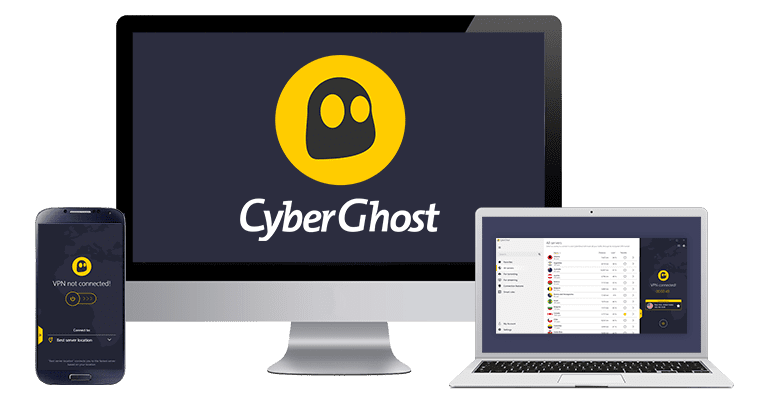
2. CyberGhost — Optimized Servers for Smooth Streaming on Your Smart TV

Key Features:
- 11,690+ servers in 100 locations that can access major streaming services
- Specialized streaming servers optimized for TV and movie apps
- Favorites list to instantly access the best servers for streaming
- Online live chat help is available 24/7
- 45-day money-back guarantee — the longest of any VPN I tested
CyberGhost has optimized servers for streaming, making it easy to watch your favorite content on your Samsung Smart TV. These servers are regularly tested by the CyberGhost team to ensure easy connections to popular services and keep your streaming smooth and lag-free. During tests, my team and I could access services like:
| Netflix | Hulu | Disney+ | Amazon Prime Video | Sling TV |
| BBC iPlayer | ESPN | YouTube TV | HBO Max | …and more! |
That means fast and reliable streams when you watch TV and movies on your Samsung Smart TV. Since these servers are optimized for streaming services, you’ll get the best speeds for lag-free video in HD. Using these servers, I never had to wait for a show or movie to start, and I didn’t get sudden reductions in video quality.
CyberGhost lets you customize your router VPN connection easily from your web browser. You can configure options like blocking ads, malicious sites, and online trackers. You can also set up the VPN on your PC and share the connection through a virtual router, as CyberGhost uses the OpenVPN protocol.
CyberGhost also has the following security and privacy features:
- AES-256-bit encryption: The same encryption used by the US military and global financial institutions to secure your online traffic.
- Data leak protection: Blocks accidental data leaks through DNS, IP address, and WebRTC.
- Kill switch: Available on all apps to stop your data from being exposed if the VPN connection is interrupted.
- Zero-log policy: RAM-based servers cannot store user data that have been confirmed as safe by a third-party audit.
I was impressed by CyberGhost’s long-term subscriptions, starting at just /month for a 2-year + 4 months plan. If you want to try CyberGhost with your Smart TV risk-free, it has a generous money-back guarantee of 45 days. I contacted support via live chat for a refund, and they processed my request immediately after I explained that I had changed my mind. The money was in my bank account 10 days later. Editor’s Note: Transparency is one of our core values at WizCase, so you should know we are in the same ownership group as CyberGhost VPN. That said, our detailed reviews follow a strict methodology that examines all relevant performance factors to help you arrive at your own informed conclusion.
CyberGhost works on: Windows, macOS, Linux, Android, iOS, Raspberry Pi, Chrome, Firefox, PlayStation, Xbox, Nintendo Switch, Amazon Fire TV, Amazon Fire TV Stick, Roku, smart TVs, routers, and more.
Try CyberGhost with your Samsung TV
2026 Update! You can subscribe to CyberGhost for as low as per month with a 2-year purchase (save up to %)! This is a limited offer so grab it now before it's gone. See more information on this offer here.
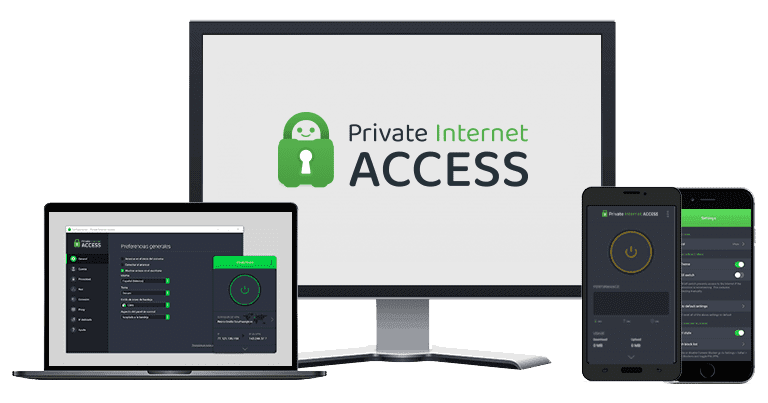
3. Private Internet Access — Huge Server Network Reliably Connects to Your Favorite Streaming Services

Key Features:
- Massive network of 29,650+ servers in 50 countries with reliable unblocking capabilities on major streaming sites
- Thousands of servers reduce user congestion for smooth streaming worldwide
- Budget-friendly plans with premium speeds and security features
- 24/7 customer service with live chat
- 30-day money-back guarantee
Private Internet Access (PIA) has an enormous server network — more than 29,650 servers in 50 countries. With so many PIA servers to choose from, TV and movies never slowed down on my Samsung Smart TV due to overcrowded servers. My team and I had reliably fast, smooth connections to our favorite content whenever we connected.
We tested multiple streaming services, and PIA could access:
| Netflix | Disney+ | Amazon Prime Video | Sling TV |
| ESPN | Showtime | Peacock TV | …and more! |
After installing PIA on my router and connecting to a local UK server, I easily connected to my Netflix and Disney+ accounts. I didn’t experience any lag or buffering delays, even when I streamed in HD video quality.
Alongside Smart DNS, PIA has these security and privacy features:
- Customizable encryption: Lower your encryption level to improve speeds — a top option for smooth streaming that still protects your data.
- Secure protocols: OpenVPN, WireGuard, and IKEv2 are all available.
- Data leak protection: Secures against DNS, IP address, and WebRTC leaks.
- Audited No-Logs Policy: Independent audit confirmed that it won’t log or store any user data while connected to the servers
If you aren’t sure if it will work with your router model, you can try PIA risk-free for 30 days with its money-back guarantee. This way, you can make sure the setup goes smoothly before committing to a subscription. I think it’s worth testing, especially as its plans start at /month for a 2-year + 4 months plan. Editor’s Note: Transparency is one of our core values at WizCase, so you should know we are in the same ownership group as Private Internet Access. That said, our detailed reviews follow a strict methodology that examines all relevant performance factors to help you arrive at your own informed conclusion.
PIA works on: Windows, macOS, Linux, Android, iOS, Chrome, Firefox, Opera, Amazon Fire TV, Amazon Fire TV Stick, routers, and more.
2026 Update! /month for a two-year plan with 2 months free (%)!! This is a limited offer so grab it now before it's gone. See more information on this offer here.
Get More Out of Your Samsung Smart TV With a VPN
If you pay a subscription fee every month for streaming services, you should be able to access them through your Smart TV. That’s why it’s worth the effort to use a VPN to securely access your streaming accounts from anywhere. As an added bonus, your Samsung Smart TV will be much more secure, keeping your logins private and protecting you from hackers.
ExpressVPN is the provider I rely on for my Samsung Smart TV, with super reliable connections, streaming app compatibility, and top-notch security. You can also try ExpressVPN for yourself risk-free for 30* days. Your subscription is insured with a full money-back guarantee; if there’s something you don’t like, you can just get a refund. I tested the process myself after using ExpressVPN for almost a month — customer support arranged my refund in a couple of minutes, and I had my money back in less than a week.
Editor’s Note: Transparency is one of our core values at WizCase, so you should know we are in the same ownership group as ExpressVPN. That said, our detailed reviews follow a strict methodology that examines all relevant performance factors to help you arrive at your own informed conclusion.
*Please note that the ExpressVPN’s 30-day money back guarantee is not available at the moment.
Summary — The Best VPNs for Samsung Smart TV in 2026
Editor’s Note: We value our relationship with our readers, and we strive to earn your trust through transparency and integrity. We are in the same ownership group as some of the industry-leading products reviewed on this site: ExpressVPN, CyberGhost, Private Internet Access, and Intego. That said, our detailed reviews follow a strict methodology that examines all relevant performance factors to help you arrive at your own informed conclusion.