5 Best VPNs for TikTok: Unblock & Stream Safely (2026)
Reading time: 17 min
First published: Jun 12, 2024
Updated 2 times since publishing
-
![Osama Zahid]()
-
![Sarah Frazier]()
Fact-Checked by Sarah Frazier Former Content Manager


TikTok is under threat with looming US bans and region-based restrictions that quietly block VPNs. If you’re a viewer, creator, or just trying to keep your content live, you’ve likely already seen errors, vanished videos, or the app refusing to load — even when your VPN is on.
The bigger issue is that your ‘For You Page’ (FYP) is tied to your location. TikTok tracks your IP, GPS, and SIM data to serve region-specific content, so traveling or changing networks can wipe your usual feed.
I tested dozens of VPNs to find the ones that actually work with TikTok. ExpressVPN is the best option to access TikTok in the US and abroad. By routing through a server in your home region, it slips past blocks and keeps your FYP tuned to the trends you care about. Editor’s Note: Transparency is one of our core values at WizCase, so you should know we are in the same ownership group as ExpressVPN. That said, our detailed reviews follow a strict methodology that examines all relevant performance factors to help you arrive at your own informed conclusion.
Access TikTok reliably with ExpressVPN
Quick Guide: Best VPNs for TikTok in 2026
- ExpressVPN — Proprietary Lightway protocol delivers super-fast speeds for lag-free browsing on TikTok on all networks.
- CyberGhost — Smart Rules let you launch the VPN automatically when you open TikTok for better privacy, but its monthly plan has a short money-back window.
- Private Internet Access — Has servers in all US states, so you can easily find a nearby server and use TikTok, but its advanced interface can feel overwhelming.
- NordVPN — Obfuscated servers work on firewalled networks like schools and offices, but connecting to them takes a few extra seconds.
- Surfshark — GPS spoofing keeps your home‑country FYP intact while you travel, though its Netherlands base may concern privacy-focused users.
Editor’s Note: We value our relationship with our readers, and we strive to earn your trust through transparency and integrity. We are in the same ownership group as some of the industry-leading products reviewed on this site: ExpressVPN, CyberGhost, Private Internet Access, and Intego. That said, our detailed reviews follow a strict methodology that examines all relevant performance factors to help you arrive at your own informed conclusion.
Why You Need a VPN for TikTok in 2025
TikTok access keeps getting harder in 2026. From government bans to mobile carrier restrictions, users worldwide are seeing errors, lag, and missing features. A reliable VPN solves these problems in seconds. With a VPN, you can:
- Reduce interruptions for creators — If you rely on TikTok to reach your audience, a VPN can provide a more stable connection to the platform and its features while abroad.
- Maintain consistent app performance — Some networks may interfere with TikTok’s connectivity. VPN encryption can help improve stability across different types of connections.
- Keep your FYP consistent while traveling — A VPN pairs your IP with a home‑country server, so TikTok still pushes region‑specific trends to your feed. This keeps you eligible for trending hashtag challenges that boost FYP visibility.
- Enhance privacy when using TikTok — VPNs protect your internet activity with encryption, adding an extra layer of privacy when using apps that collect large amounts of data.
- Improve streaming reliability — A high-quality VPN may help reduce playback issues by creating a smoother and more consistent connection for video content, especially on networks that throttle your connection.
- Secure your connection on public WiFi — VPNs help protect your personal data when you’re connected to public hotspots, which are often less secure than private networks.
How to Access TikTok From Anywhere in 2026
- Download a VPN — Go to the VPN’s official site and download the app for your OS. I suggest getting ExpressVPN as it’s super fast and lets you access TikTok anywhere.
- Connect to a server — Choose a server in a TikTok-friendly country like the UK or your home country if the platform isn’t banned there.
- Launch TikTok — Open the app once connected and start browsing. If it’s not available in your app store, switch to a new region-specific Google or Apple ID first.


What is the best VPN location for TikTok?
It depends on where you are, so pick a VPN with a broad network so that you can find a local server. You’ll get the best performance by choosing a nearby server in a country where TikTok isn’t restricted. If you’re in the US, try Canada or Mexico. In Europe, Germany or the Netherlands usually work well.
The Best VPNs for TikTok (Tested in 2026)
1. ExpressVPN — Best Overall VPN for TikTok with Reliable Access

Key Features:
- 3,000+ servers in 105 countries let you access TikTok from virtually anywhere
- Lightway protocol optimized for mobile performance and battery efficiency
- MediaStreamer feature for devices without native VPN support
- Supports up to 14 simultaneous connections
- 30*-day money-back guarantee for first-time users
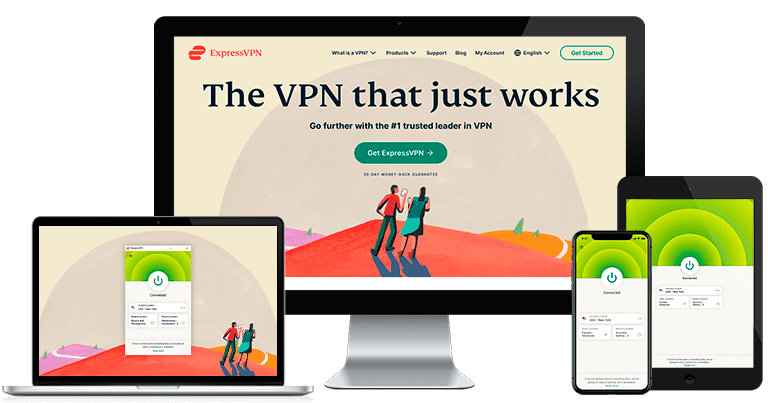
ExpressVPN is the best overall VPN for TikTok, offering one of the fastest speeds. I tested it across iPhone, Android, and a Windows laptop. Its Lightway protocol kicked in instantly, and unlike others I tried, it didn’t freeze when loading the app or watching short videos on cellular data.

What really impressed me was ExpressVPN’s automatic obfuscation. I didn’t have to enable anything — the app quietly rerouted my traffic in the background, and TikTok never gave me location-related loading errors. It also kept the app running smoothly during peak hours, where cheaper VPNs would randomly disconnect or lag.
During my tests, I used a Dallas server to upload a 90-second 4K video in under 30 seconds, and I didn’t get stuck on the “Processing” screen like I did with most free VPNs. I also ran a short TikTok Live session without frame drops or sync issues, even while switching filters mid-stream. I could fire off a quick Duet without any audio drift
The only drawback is that ExpressVPN costs more than most alternatives. But it earns that premium with consistency, strong mobile performance, and extra features like MediaStreamer that extend device compatibility. You can test ExpressVPN yourself with its 30*-day money-back guarantee and get a refund if you’re unsatisfied.
Editor’s Note: Transparency is one of our core values at WizCase, so you should know we are in the same ownership group as ExpressVPN. That said, our detailed reviews follow a strict methodology that examines all relevant performance factors to help you arrive at your own informed conclusion.
ExpressVPN works with: Windows, macOS, Linux, Chromebook, Android, iOS, Chrome, Firefox, Edge, PlayStation, Xbox, Nintendo Switch, Amazon Fire TV, Amazon Fire TV Stick, Nvidia Shield, Xiaomi Mi Box, Chromecast, Roku, Android TVs, smart TVs, routers, and more.
2026 Update! You can subscribe to ExpressVPN for as low as per month with a 2-year + 4 months purchase (save up to %)!! This is a limited offer so grab it now before it's gone. See more information on this offer here.
2. CyberGhost — Smart Rules Auto-Protects You When You Launch TikTok
Key Features:
- 11,690+ servers in 100 countries
- Optimized connections for streaming, gaming (Windows only), and torrenting
- Automatic WiFi protection so you can use TikTok securely on public networks
- Supports up to 7 simultaneous connections
- Comes with a generous 45-day refund guarantee
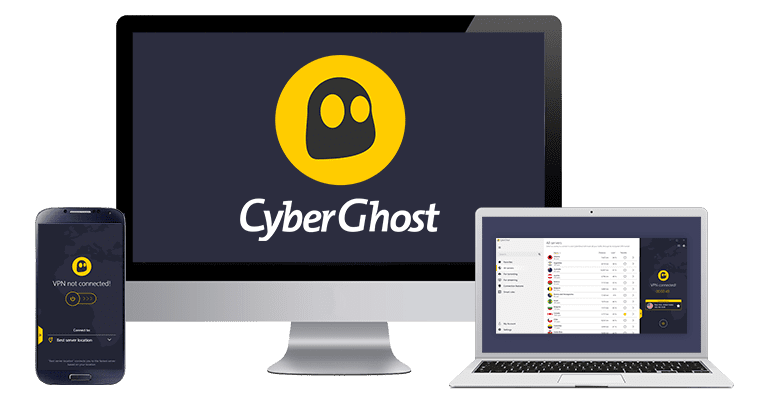
CyberGhost’s Smart Rules automatically enable the VPN when you launch TikTok. This stops you from accidentally opening TikTok without a VPN connection. I tested it on my Android and iPhone while switching between mobile data and hotel WiFi, and it worked every time. The app opened ready to scroll, without delays or manual steps.
Streaming performance held up just as well. I used CyberGhost’s labeled streaming servers in the US to watch Lives, browse my ‘For You’ feed, and upload short edits — all without slowdown. Even in poor coverage areas, playback stayed sharp and responsive, with zero stuttering while switching between filters.

On the privacy side, CyberGhost brings the essentials. It runs a strict no-logs policy, and features like DNS leak protection and a kill switch stayed active in all my tests. I also used the built-in ad and tracker blocker, which blocks malicious ads — if you want to disable all pop-ups, though, you’d be better off using a free third-party ad blocker.
The monthly plan only offers a 14-day refund window, which feels a bit tight if you’re still exploring features. But CyberGhost’s long-term plans are far more affordable — and they come with a generous 45-day money-back guarantee, giving you plenty of time to test it without risk
Editor’s Note: Transparency is one of our core values at WizCase, so you should know we are in the same ownership group as CyberGhost VPN. That said, our detailed reviews follow a strict methodology that examines all relevant performance factors to help you arrive at your own informed conclusion.
CyberGhost works with: Windows, macOS, Linux, Android, iOS, Raspberry Pi, Chrome, Firefox, PlayStation, Xbox, Nintendo Switch, Amazon Fire TV, Amazon Fire TV Stick, Roku, smart TVs, routers, and more.
2026 Update! You can subscribe to CyberGhost for as low as per month with a 2-year purchase (save up to %)!! This is a limited offer so grab it now before it's gone. See more information on this offer here.
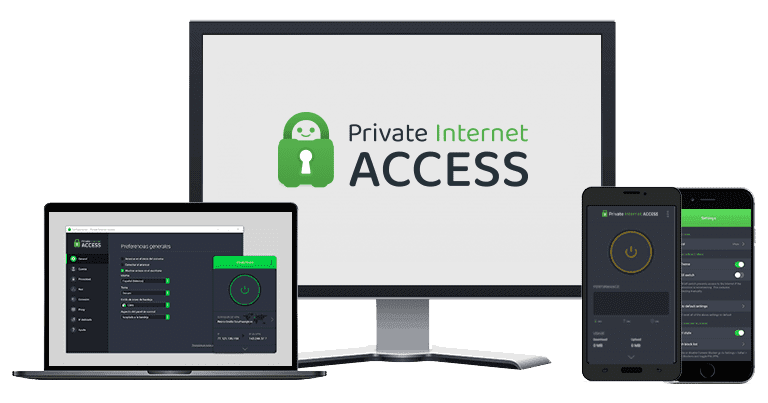
3. Private Internet Access — Has Servers in All US States, So Finding One Nearby Is Easy
Key Features:
- 29,650+ servers in 90 countries covering all US states
- Flexible encryption can slightly boost speeds for smoother TikTok browsing
- MACE ad blocker makes browsing safer and faster
- unlimited simultaneous device connections
- 30-day money-back guarantee to test PIA out risk-free
PIA is the only VPN I tested with servers in all 50 US states, and that gave me more location flexibility than any other provider. I connected from three different cities — Madison, Tampa, and Salt Lake City — and found a nearby server each time. This kept my ping low and uploading on TikTok fast and stable.
TikTok ran smoothly across every test, whether I was scrolling, uploading reels, or posting a fast Stitch response. On the browser version, MACE blocked pop-ups and trackers that sometimes load with external links in bios. It also cut down on background noise, which made the app feel faster and more responsive on slower hotel WiFi.
What I liked most was the ability to tweak settings based on where and how I was using TikTok. I lowered encryption to 128-bit for better streaming speeds while posting short clips, then switched back to 256-bit on public networks. These changes only took a few taps, and I never had to restart the app.

PIA’s interface can feel dense at first, especially with so many toggles and security choices. But once I locked in my preferences, PIA stayed in the background and just worked. It’s also one of the most affordable monthly VPNs out there. But if you’re unsure, it gives you a 30-day money-back guarantee to try it risk-free.
Editor’s Note: Transparency is one of our core values at WizCase, so you should know we are in the same ownership group as Private Internet Access. That said, our detailed reviews follow a strict methodology that examines all relevant performance factors to help you arrive at your own informed conclusion.
PIA works with: Windows, macOS, Linux, Android, iOS, Chrome, Firefox, Opera, PlayStation 4, Xbox One, Amazon Fire TV devices, Chromecast, Apple TV, Roku, smart TVs, routers, and more.
2026 Update! /month for a two-year plan with 2 months free (%)!! This is a limited offer so grab it now before it's gone. See more information on this offer here.
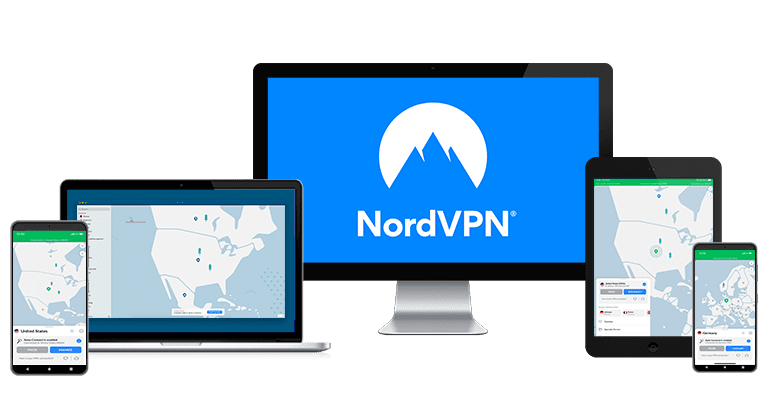
4. NordVPN — Obfuscated Servers Let You Access TikTok on Restricted Networks

Key Features:
- 9,419+ servers in 137 countries with specialty security server options
- NordLynx protocol is exceptionally fast as it’s built around WireGuard
- NordWhisper technology for avoiding VPN detection
- Threat Protection blocks ads and trackers, preventing sites from profiling you
- Comes with a 30-day money-back guarantee
NordVPN’s obfuscated servers hide VPN traffic so well that my campus firewall never noticed I was connected. I opened TikTok on the dorm network, and the app loaded as if nothing were blocked. You can pick the same stealth servers at work, in coffee shops, or on any WiFi that limits social media.
On a Dallas server, I got 116Mbps down — enough for lag-free Lives and quick uploads. I also tested a UK server at 191Mbps while posting edits from my hotel, and the app stayed responsive while switching filters mid-scroll. Speed-wise, NordVPN’s performance was almost on par with ExpressVPN’s thanks to its proprietary NordLynx protocol.
Its specialty servers offer extra layers of protection for creators or users in more sensitive environments. Double VPN routes your traffic through two encrypted servers, while Onion Over VPN adds Tor-level anonymity. These can help you browse on TikTok without worrying about visibility in high-surveillance networks, though I must say your speeds take a dip.
The only downside is that connections to obfuscated servers take a bit longer to establish — around 8–12 seconds in my tests. But once connected, TikTok ran flawlessly. If you’re on a network that limits access, NordVPN is your best bet. It’s risk-free thanks to its 30-day money-back guarantee
NordVPN works with: Windows, macOS, Linux, Chromebook, Android, iOS, Raspberry Pi, Chrome, Firefox, Apple TV, Roku, Amazon Fire TV, Nvidia Shield, Chromecast, Android TVs, routers, and more.
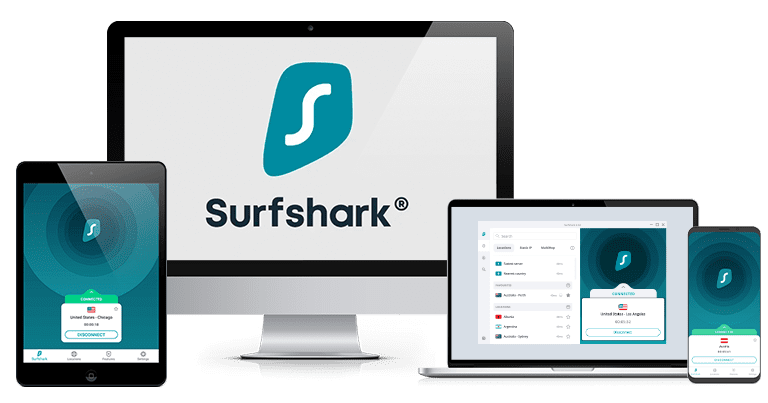
5. Surfshark — GPS Spoofing on Android Lets You Access Regional TikTok Feeds

Key Features:
- 4,500+ servers in 100 countries with rotating IP capabilities
- Static IP servers in 14 countries, including the US and UK
- Camouflage and NoBorders modes let you access TikTok in restricted environments
- Browse TikTok securely on unlimited devices simultaneously
- Offers a 30-day money-back guarantee
If you’re traveling abroad and want to see the TikTok feed from back home, Surfshark’s GPS spoofing is great. It lets you set your phone’s location to match your VPN server, so TikTok shows content from the region you actually care about. Your FYP keeps serving hometown dances and sounds instead of random overseas trends.
What makes Surfshark stand out is how lightweight it feels across devices. On Android, the app opened almost instantly and connected to my saved location in seconds. CapCut templates exported and posted without a hiccup, even on weak hotel WiFi. I didn’t get any loading screens or handshake delays.
Surfshark also has built-in tools for networks that don’t play nice with VPNs. Camouflage Mode hides your VPN use from deep packet inspection, which helps on school or office WiFi that silently blocks TikTok access. NoBorders Mode adapts your connection if you’re in high-censorship countries, giving you more stable routes to access TikTok unhindered.
Being based in the Netherlands might raise concerns for some users due to its Nine Eyes status. But Surfshark has a proven no-logs policy and multiple independent audits to back it up. Paired with features like GPS spoofing and obfuscation, it’s one of the most privacy-conscious picks on this list. You also get a 30-day money-back guarantee.
Surfshark works with: Windows, macOS, Linux, Chromebook, Android, iOS, Raspberry Pi, Chrome, Xbox, Firefox, Amazon Fire TV, Apple TV, Roku, Nvidia Shield, Chromecast, Android TVs, smart TVs, routers, and more.
Comparison Table: 2026’s Best VPNs for TikTok
| Obfuscation | Server Network | Average Speed Drop | Simultaneous Devices | Money-Back Guarantee | |
|---|---|---|---|---|---|
| ExpressVPN | ✔ (Built into all servers) | 3,000+ servers in 105 countries | 8% | 14 | 30* days |
| CyberGhost | ✘ | 11,690+ servers in 100 countries | 14% | 7 | 45 days |
| PIA | ✔ (Shadowsocks or SOCKS5 proxy) | 29,650+ servers in 90 countries | 17% | unlimited | 30 days |
| NordVPN | ✔ (specific obfuscated servers) | 9,419+ servers in 137 countries | 9% | 10 | 30 days |
| Surfshark | ✔ (Camouflage Mode) | 4,500+ servers in 100 countries | 15% | unlimited | 30 days |
Editor’s Note: We value our relationship with our readers, and we strive to earn your trust through transparency and integrity. We are in the same ownership group as some of the industry-leading products reviewed on this site: ExpressVPN, CyberGhost, Private Internet Access, and Intego. That said, our detailed reviews follow a strict methodology that examines all relevant performance factors to help you arrive at your own informed conclusion.
How I Tested and Ranked the Best VPNs for TikTok
I approached this with one goal in mind: to find out which VPNs actually work with TikTok the way you need them to. That meant testing everything from mobile speed to privacy tools, and seeing how each VPN handled the real quirks of the platform.
- Mobile streaming performance — I tested VPNs on both Android and iOS to see how quickly TikToks load and whether they buffer or lag.
- VPN detection resistance — I checked which VPNs worked on school, work, or public networks that try to block or slow down TikTok.
- Upload speed & Live stability — I filmed and posted test clips, checking which VPNs could handle uploads and Lives without crashing.
- GPS/IP consistency — I looked for VPNs that keep your location believable, especially when using GPS-sensitive features.
- Privacy & no-logs validation — I reviewed audit records and app permissions to make sure no one’s collecting your TikTok activity.
TikTok Not Working With a VPN? Troubleshooting Tips
Even top VPNs can glitch on TikTok. Most errors trace back to location checks, crowded servers, or simple app cache issues. Try these quick fixes before you give up on your VPN:
- TikTok shows the wrong region — Your SIM or GPS overrides the VPN. Pop out the SIM or enable GPS spoofing to match your server, then pop the SIM back in after you finish scrolling.
- App won’t load or crashes — The server you’re on is overloaded or blacklisted. Switch to a quieter nearby server or turn on obfuscation/stealth mode if your VPN offers it.
- Videos buffer forever — Distance adds lag, and some ISPs throttle video. Choose the closest server and swap to a faster protocol like WireGuard, Lightway, or NordLynx.
- Stuck on the login screen — TikTok flags mismatched data. Clear the cache, toggle airplane mode off-on, and turn GPS off before reopening the app.
- VPN disconnects randomly — A shaky network or protocol clash drops the tunnel. Enable the kill switch and try OpenVPN TCP or WireGuard for steadier links.
- “No Internet Connection” pops up — DNS conflicts block TikTok. Switch to Cloudflare (1.1.1.1) or Google DNS (8.8.8.8), then flush your DNS cache and reconnect.
FAQs on TikTok VPNs
Will using a VPN affect my TikTok analytics?
Will a VPN still work if TikTok detects my SIM card?
Can I use TikTok with a free VPN?
Access TikTok Reliably With the Right VPN
Whether you’re stuck with TikTok being blocked at school, can’t access US content while abroad, or just want to keep your activity private on public WiFi — the right VPN makes that simple. No guesswork, no buffering, and no worrying about who’s watching what you do on the app.
All the VPNs listed here are solid picks, but ExpressVPN is the most reliable for TikTok. It keeps things fast, private, and stable, even on restrictive networks. Its automatic obfuscation means TikTok works without hassle. You can try it risk-free with its 30*–day money-back guarantee.
Editor’s Note: Transparency is one of our core values at WizCase, so you should know we are in the same ownership group as ExpressVPN. That said, our detailed reviews follow a strict methodology that examines all relevant performance factors to help you arrive at your own informed conclusion.
*Please note that ExpressVPN’s generous money-back guarantee applies to first-time customers only.
Summary — Best VPNs for TikTok in 2026


Editor’s Note: We value our relationship with our readers, and we strive to earn your trust through transparency and integrity. We are in the same ownership group as some of the industry-leading products reviewed on this site: ExpressVPN, CyberGhost, Private Internet Access, and Intego. That said, our detailed reviews follow a strict methodology that examines all relevant performance factors to help you arrive at your own informed conclusion.




Leave a Comment
Cancel