PC Matic Review 2026 — Does This Budget Antivirus Cut It?

Reading time:
First published: Aug 11, 2020
Updated 2 times since publishing
-

Written by: Sayb Saad Former Writer
-
![Sarah Frazier]()
Fact-Checked by Sarah Frazier Former Content Manager

PC Matic Overview
Most antiviruses work by chasing endless malware signatures, but PC Matic flips the script. Instead of trying to recognize every new virus, PC Matic blocks anything that isn’t on its trusted allowlist. That approach can feel restrictive, yet it promises strong defense against ransomware, zero-day exploits, and other modern threats.
PC Matic also tries to go beyond barebones antivirus by bundling system optimization, browser ad and scam blockers, dark web monitoring, and optional extras like a VPN and cloud backup. But the lack of a firewall and limited support make it feel somewhat basic compared to big players like Norton and Bitdefender. You can try it risk-free with its 30-day refund guarantee.
In a Rush? Here’s a 1-Minute Summary
- Real-time protection — Protects you by using a global whitelist of safe apps, although it may raise some false flags. Here’s how its real-time protection performed.
- System tune-up suite — Built-in optimization removes junk files, fixes startup lag, and patches outdated apps. Check out how its optimization tools fared.
- Cross-platform coverage — Works on Windows, macOS, Android, and iOS. Setup is quick but the interface is a little outdated. Here’s what you get with each app.
- Reliable customer support — Offers support via email and phone (US only). Find out how responsive PC Matic’s support is.
- Affordable but not great value — You can try the free version with basic security or choose the paid tiers. Jump here to see what the paid plans offer.
Pros
- Ransomware and zero-day protection
- Effective optimization tools
- Unique allowlist model
Cons
- Frequent false positives
- Unlimited support has a separate plan
- Lacks advanced features like a firewall
Protect yourself with PC Matic
Security
PC Matic takes a very different approach to antivirus security. Instead of blacklisting known threats, it uses a strict allowlisting model where only trusted programs can run on your device. You also get layered defenses like SuperShield, Fileless Script Blocking, and RDP Brute Force Protection. Together, these tools target both classic malware and newer attack methods.
Virus Scan — Whitelisting for Malware Prevention
The core virus scan is built around PC Matic’s allowlisting system. Instead of chasing endless malware signatures, it blocks anything that isn’t on its approved list. This reduces the risk of zero-day attacks since unknown files can’t run in the first place. The scan types available are quick scan, full scan, and selective scan, with a scheduler available as well.

Note that the scans are cloud-assisted and generally light on your system, though they can sometimes flag uncommon but safe apps until you manually approve them. When we ran the full scan, PC Matic checked around 200,000 files in 27 minutes. It’s a little slower than top players like Norton, and gave me 4 false positives, mistakenly flagging safe files as malware.
SuperShield — Real-Time Protection That Denies Unknown Apps
SuperShield runs continuously in the background and enforces allowlisting rules in real time. If a file tries to execute and it isn’t on the whitelist, SuperShield blocks it instantly and prompts you to allow or deny it. This method does stop threats that other antiviruses might miss, but it also requires more user input.
In theory, this should lead to a more secure system, since nothing that isn’t explicitly deemed safe is seen as a threat. However, PC Matic’s whitelist method only blocked 88% of threats — that’s partly because it doesn’t have a firewall. In contrast, Norton uses a more traditional antivirus method and blocks 100% of all malware in tests.
Fileless Script Block — Stops Attacks That Run in Memory
Modern attacks often hide in PowerShell, WMI, or malicious macros instead of dropping a visible file. PC Matic’s script blocking prevents these processes from running unless verified as safe. It’s especially useful against ransomware delivered through phishing documents or drive‑by downloads. If you run legitimate admin scripts, you can whitelist them to avoid repeated prompts.
Ransomware and Zero-Day Protection — Proactive Blocking at Launch
PC Matic’s allowlist model is especially effective against ransomware and zero-day exploits. Since unknown files can’t run by default, they’re stopped before encryption or data theft begins. This proactive approach is different from behavior-based ransomware shields in rival antiviruses. The trade-off is convenience, but the security edge is clear.
RDP Brute Force Protection — Stops Remote Login Guessing Attacks
Remote Desktop Protocol (RDP) is a common entry point for hackers. PC Matic includes RDP Brute Force Protection to block repeated login attempts from unknown sources. This is useful if you use remote access, but it works alongside the Windows firewall, which isn’t perfect by any means.
Scheduled Security Maintenance — Automates Scans and Updates
You can set PC Matic to run scans and updates at scheduled times, so you don’t have to remember. It automatically checks files against the latest allowlist and keeps your system patched. Regular maintenance reduces the chance of missing threats or running outdated software. This feature is handy if you want a “set and forget” setup.
Features
PC Matic bundles a handful of tools to keep your device fast and safe. You get a system tune-up suite, a built-in ad blocker, and dark web monitoring powered by IdentityForce. They’re good but not as full-featured as what you’d see with Norton or McAfee.
PC Optimization — Speeds Up and Cleans Your System
PC Matic comes with tune-up tools that clean out junk files, optimize drivers, and improve startup times. I especially liked the system optimization software. After running these scans for a few days during testing, I noticed that it caught several issues that I likely would have missed. This included removing countless registry entries from programs I’d uninstalled.
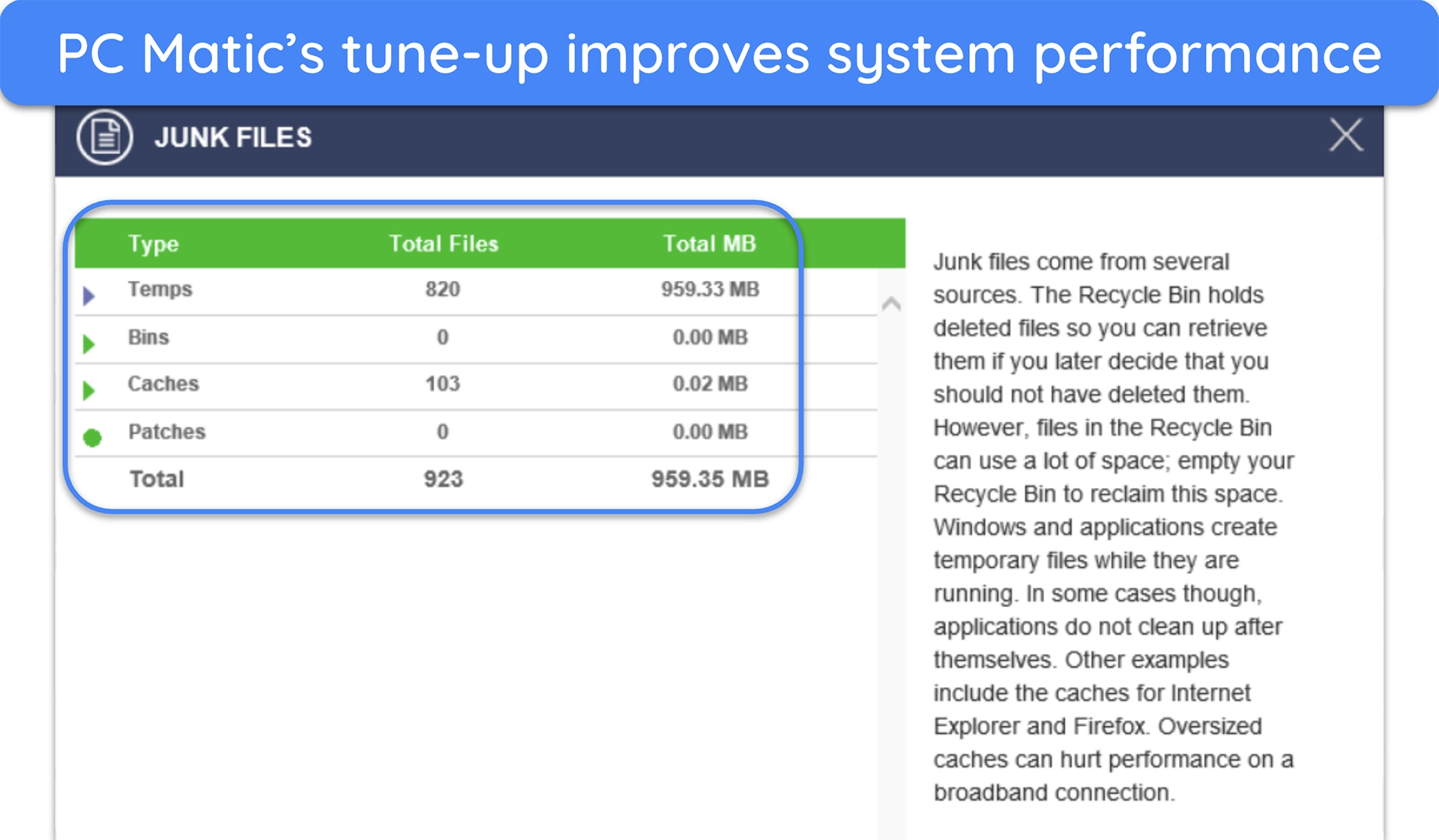
The optimization isn’t as advanced as standalone tools like CCleaner, but it’s a nice bonus if you want everything in one dashboard. It can free up disk space and reduce lag, though results depend on the age and condition of your machine.
Ad Blocker — Stops Annoying Ads and Scam Pop-Ups
Once you install PC Matic, it automatically prompts you to install its ad blocker after a restart. It works in Chrome, Firefox, and Edge, and is pretty decent overall. The ad blocker strips out noisy banners, pop-ups, and many malvertising links across major browsers. It’s a quick install from inside the PC Matic app, and you can toggle it per browser if you prefer.
You can pair it with PC Matic’s Scam Blocker extension, which targets fake support sites and other sketchy pages that try to scare you into calling or paying. It lives in your browser toolbar, so you always see when it’s active. Together, they cut a lot of web junk at the source.
Dark Web Monitoring — Alerts You of Leaked Data Online
Both PC Matic’s paid plans include dark web monitoring that alerts you if your email or personal data appears in known breaches. This helps you stay ahead of identity theft, but it’s limited compared to full identity-theft protection services. It works best as an early warning system when combined with strong password hygiene.
VPN — Added Privacy for Public WiFi Use
With the Antivirus+VPN plan, you get a VPN that secures up to 10 devices. It encrypts your internet traffic so snoops on public WiFi can’t spy on you. This is especially useful if you travel often or work outside the home.
While PC Matic’s VPN is decent, with a network in 50+ countries, it isn’t comparable to top standalone VPNs like ExpressVPN. For instance, it doesn’t have obfuscation and streaming-optimized servers. But if your goal is basic privacy and safer browsing, it does the job without adding another subscription.
Secure Cloud Backup — 25GB Encrypted Storage Included
The higher-tier plan includes 25GB of cloud backup, giving you a safe place to keep photos, tax files, or other sensitive documents. Everything is encrypted, and you can schedule automatic uploads — 25GB isn’t all that much, but it’s enough to protect your most critical files. Since ransomware can lock your local drive, this off-site backup acts as a last line of defense.
Ease Of Use
PC Matic keeps things simple once you get past its unique allowlisting model. On desktop, you manage scans, schedules, and quick overrides when something safe gets blocked. On mobile, iOS runs as a Safari content blocker while Android works like a lighter desktop client. Setup takes just a few minutes, and every plan covers all major platforms.
Desktop Apps — Old-School Layout With Packed Tools
PC Matic’s desktop app has a retro, utilitarian feel. You can start a scan, view results, and schedule weekly quick scans alongside monthly full scans. PC Matic even suggests running them on different days, so your PC stays in good shape without slowing you down. SuperShield fills the gap between scans by blocking unknown apps until you approve them.

When something trusted gets flagged, fixing it is simple. Just click the SuperShield tray icon, switch the block notification setting to ‘Prompt for Override,’ and allow the app the next time it launches. That one click adds it to your personal allowlist, so it won’t be flagged again. It’s a practical way to keep control without being buried in prompts.
Mobile Apps — Bare-Bones Protection on Android and iOS
On iOS, PC Matic doesn’t act as a full antivirus but as a Safari content blocker. Inside the app, you can toggle categories like Ads, Social, Privacy, and Security. When active, the app shows a green shield and confirms that blocking is enabled. This setup cuts down on trackers and suspicious sites, even if it doesn’t give you the full desktop-style scanning experience.
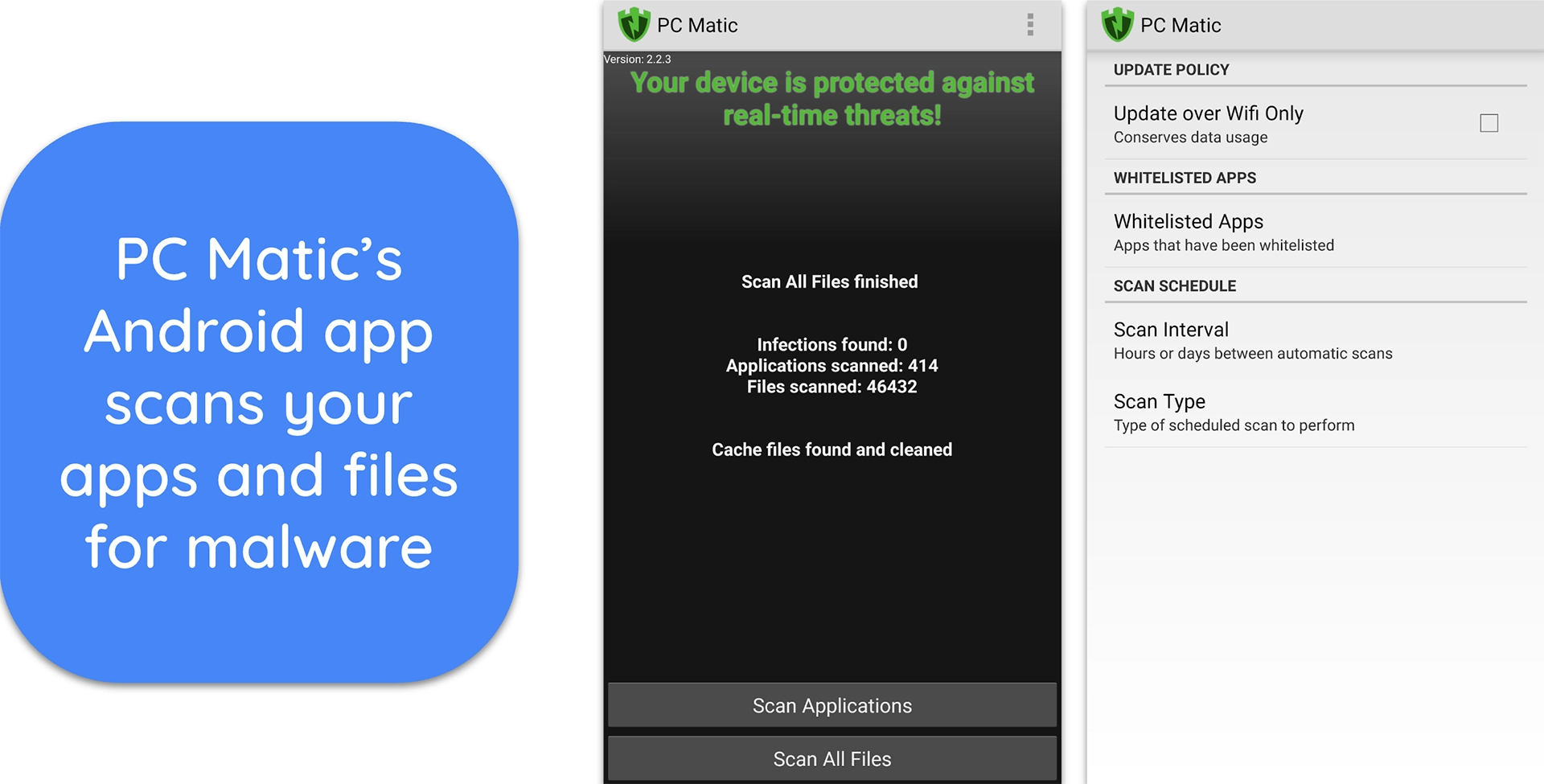
Android gets closer to the desktop feel. The app supports Android 4.4 and newer, and lets you run scans, manage schedules, and use allowlisting. It isn’t as detailed as the Windows version, but it covers the essentials and makes sure mobile threats aren’t ignored. If you already use PC Matic on your desktop, the mobile apps feel like natural extensions.
Setup and Installation Flow — Covers All Your Devices
Setup is a four-step process. Pick your OS guide, install, log in, run your first scan, then set your schedules. PC Matic supports Windows, macOS, Android, and iOS, and it nudges you to schedule scans right away so protection stays on autopilot. Do that once, and daily use is hands-off.
Note that the Antivirus plan covers 5 devices, while the Antivirus+VPN plan covers 10 devices. You can mix Windows, macOS, iOS, and Android devices under one plan. MacOS is supported from 10.12 onwards, and Android from 4.4 and above.
Support
PC Matic’s help options are split into two paths. You get US-based email support, 7 days a week, with every home plan. If you want phone/chat or remote help for broader tech issues, there’s a paid Support Unlimited add-on. The Antivirus+VPN plan also includes limited phone support, and there’s a dedicated refund phone line.
Email Support — 7 Days a Week, US-Based Help
Email is the main way to reach PC Matic. You can submit a ticket any day of the week, and the support team is US-based. This works for common issues like installation errors, billing questions, or troubleshooting when a trusted app gets blocked. It’s built into all home plans, so you don’t pay extra for it.
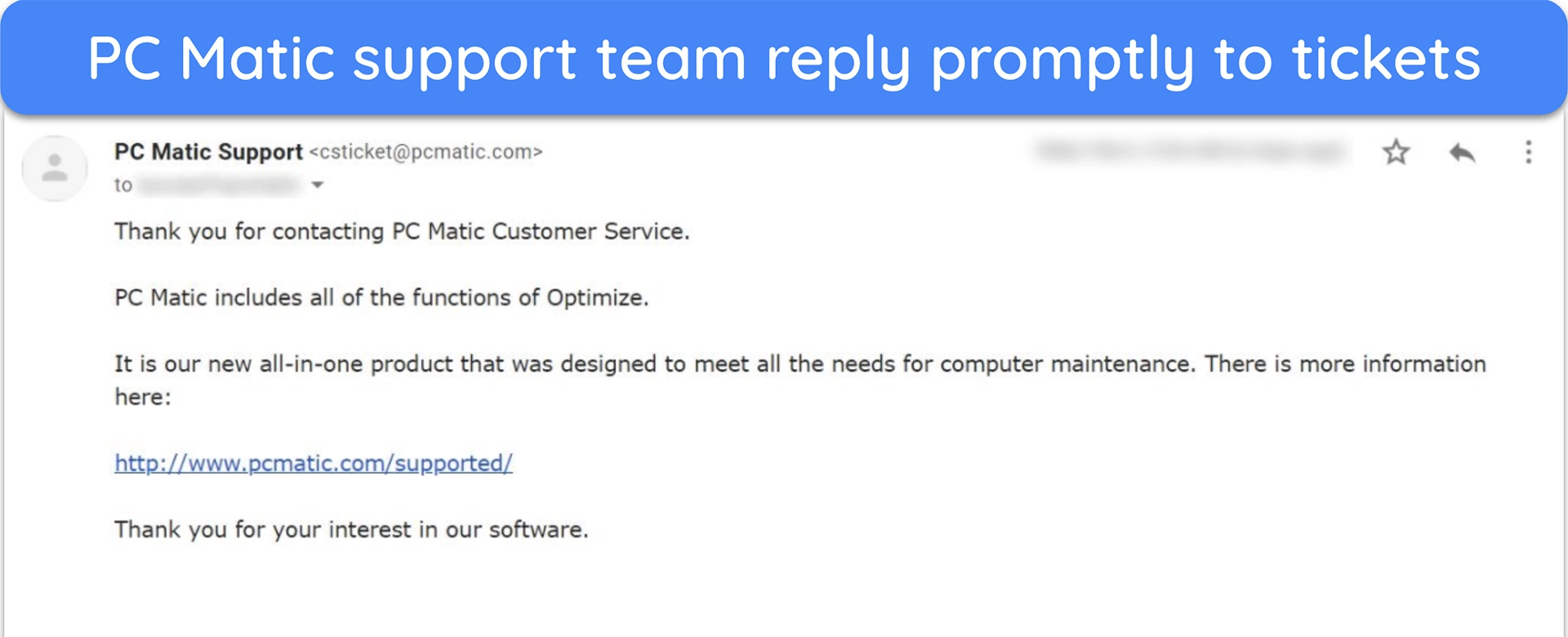
For refunds, email is the default, too. The team usually answers within a day, and once approved, refunds hit your account in about 5 to 7 business days. PC Matic also offers a separate automated refund phone line if you prefer to handle that by call instead of email.
Phone Support — Only With Add-Ons or Higher Plans
Unlike the plain Antivirus plan, the Antivirus+VPN plan includes limited phone support in addition to email, which is helpful if you want real-time answers for product issues. But if you expect full access to agents by both phone and chat, PC Matic sells the Support Unlimited package for about $100/year.
Support Unlimited covers more than just antivirus; it’s like having a personal IT helpdesk. You can call as often as you want, get remote assistance, and ask for help with things like printer setup or router problems. However, it feels too much of an upsell, and it’s not common nowadays to see an antivirus cashing in more just for support.
Knowledge Base and Forums — Self-Help First, No Official Forum
PC Matic maintains a thorough Knowledge Base with step-by-step articles. You’ll find guides on how to schedule weekly quick and monthly full scans, how to enable iOS content filters, or how to override a SuperShield block. These are updated to match the latest PC Matic 5 interface, so instructions don’t feel outdated.
What you won’t find is a busy community forum. PC Matic doesn’t run one for consumers, instead leaning on its blog and scam-alert posts to share news. For most users, the Knowledge Base is enough to solve issues without waiting on support, but if you like peer discussions, you’ll need to look elsewhere.
Price
PC Matic isn’t very feature-rich, but it’s an affordable option. While I can’t recommend its free version, I believe its Windows and macOS versions have a place for users looking for an extra layer of protection. However, I’d still choose to go with one of the top antiviruses for a hands-off experience with useful additional features.
PC Matic Home Security Free — Limited Access and Availability
PC Matic’s free version lets you run a malware scan and vulnerability check, but it doesn’t include real-time allowlisting or advanced protections. You should treat it as a partial protection tool. It doesn’t always include Dark Web Monitoring, scheduled scans, or feature parity with the paid plans. So, use it for testing, not as your permanent solution.
PC Matic Home Security — Affordable Yearly Coverage for Families
The core Antivirus plan costs $50 for the first year and covers 5 devices (Windows, Mac, iOS, or Android). You get real-time whitelist protection, scheduled scans, ad and scam blocking, and dark web monitoring, all managed under one account. This is the plan to pick if you want baseline security without extra frills.
The Antivirus+VPN plan doubles the coverage to 10 devices and costs $100 for the first year. Along with antivirus, you get a built-in VPN, 25GB of secure cloud backup, and limited phone support. It’s a better choice if you want both privacy and device security in a single package. Here’s how the tiers compare:
| Antivirus Plan | Antivirus+VPN Plan | |
|---|---|---|
| Number of devices | 5 PCs, Macs, tablets, or phones | 10 PCs, Macs, tablets, or phones |
| Antivirus protection | Real-time protection against malware, ransomware, and phishing attacks | Real-time protection against malware, ransomware, and phishing attacks |
| Privacy protection | Malicious ad and scam blocker | Built-in VPN, ad and scam blocker, and 25GB cloud storage |
| Identity protection | Dark web monitoring | Dark web monitoring |
30-Day Money-Back Guarantee
Every new subscription includes a 30-day money-back guarantee, no questions asked. If you cancel during this period, you’ll get your payment refunded. The process is simple: submit a support ticket or call the automated refund line (843-203-0422), and PC Matic usually issues refunds within 5–7 business days.
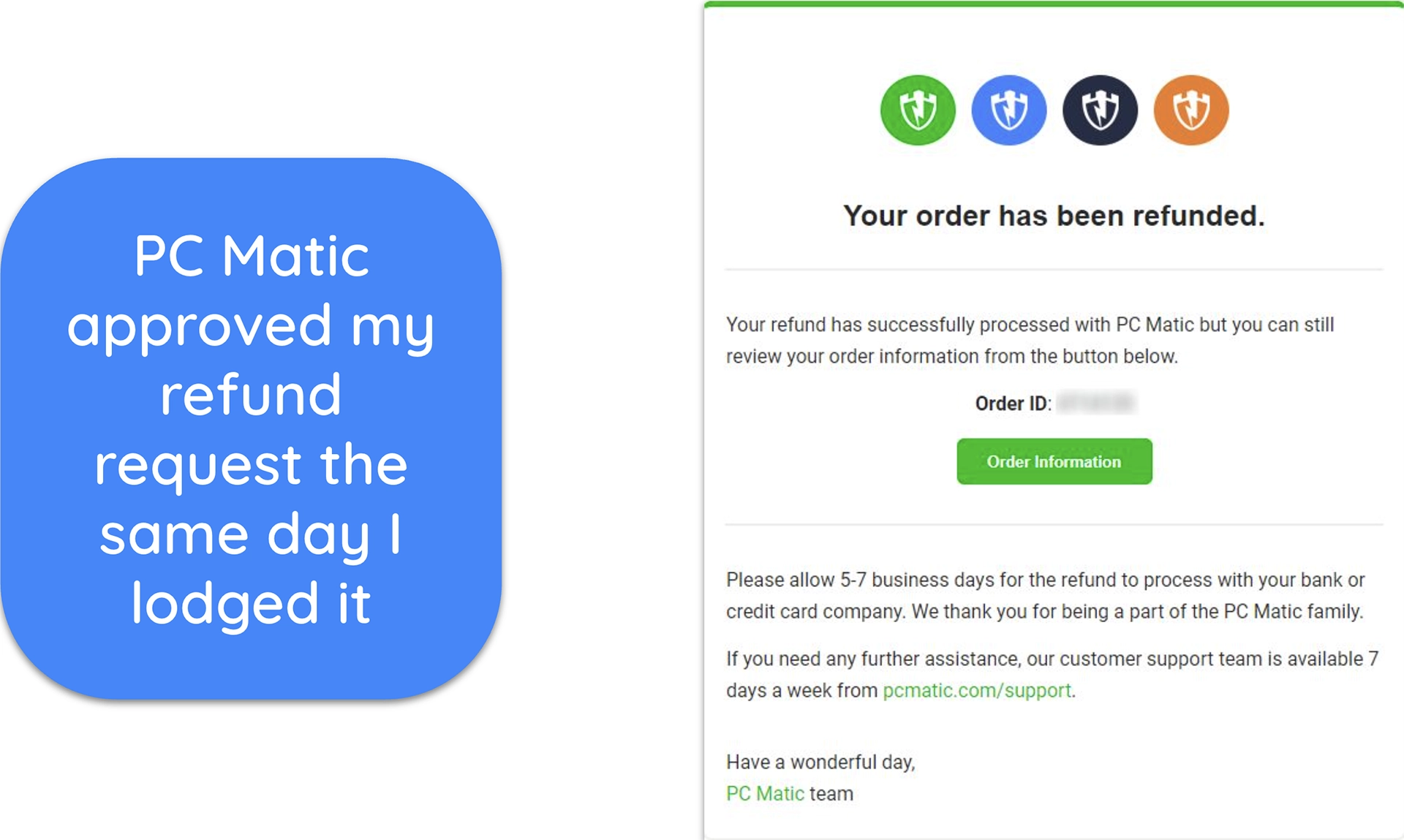
The key detail is that the guarantee applies only to new purchases, not renewals. If you’re testing PC Matic for the first time, mark the refund window so you don’t miss it. This trial period is the best way to decide if the allowlist approach fits your needs.
Final Verdict
PC Matic is not your typical antivirus. Its allowlisting approach blocks everything new until you approve it, which can feel restrictive but offers strong protection against zero-day and fileless threats. The extras like ad blocking, scam filters, and dark web monitoring complement your protection.
That said, PC Matic makes the most sense if you’re comfortable being hands-on. Tech-savvy users who don’t mind approving safe apps will appreciate the tight control and low annual cost. But if you prefer a smoother, “set it and forget it” experience with wide third-party validation, other antiviruses like Norton may suit you better.
FAQs
Is PC Matic better than Norton for protection?
Does PC Matic include a VPN and a kill switch, and on which plan?
Why does PC Matic flag safe programs?



Editor’s Note: We value our relationship with our readers, and we strive to earn your trust through transparency and integrity. We are in the same ownership group as some of the industry-leading products reviewed on this site: ExpressVPN, CyberGhost, Private Internet Access, and Intego. That said, our detailed reviews follow a strict methodology that examines all relevant performance factors to help you arrive at your own informed conclusion.


| 🛡️Security | 3 / 10 |
|---|---|
| 💡Features | 7.5 / 10 |
| 👍Ease Of Use | 9 / 10 |
| 👨🔧Support | 8 / 10 |
| 💰Pricing | 6.5 / 10 |
| 🏳️Free trial | No |
|---|---|
| ⛔Firewall | No |
| 🛡️VPN included | No |
| 📱Number of devices | 5 Devices |
| 💰Money-back guarantee | 30 Days |
| 🏷️Pricing Plan | $50/Year |